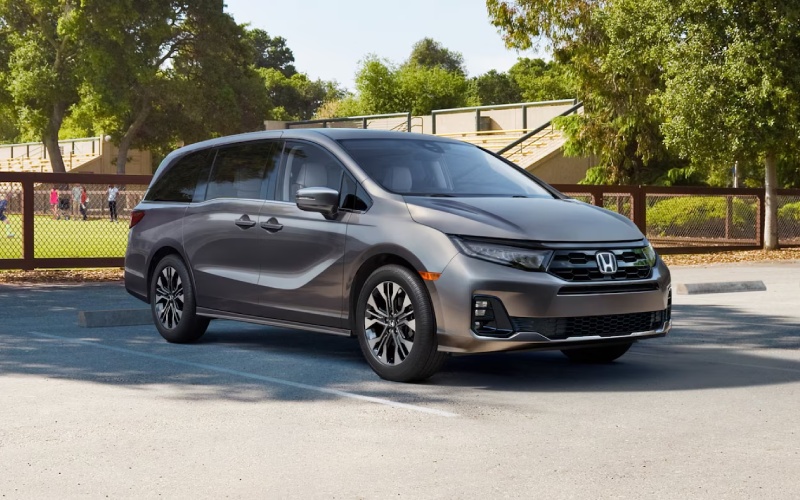
Bob Boyte Honda - Can the 2026 Honda Odyssey stream your family's favorite shows around Clinton, MS?
Families driving between Clinton and Jackson want an in-vehicle entertainment setup that just works. The 2026 Honda Odyssey delivers with thoughtful hardware and software that make it easy to keep the second and third rows happily occupied while you focus on the road. At Bob Boyte Honda, we help local owners set up the Advanced Rear Entertainment System, Wi-Fi® hotspot capability, and device connections so streaming feels as simple as your living room—only on wheels.
Below, we explain exactly how streaming works in the 2026 Odyssey, which trims include the larger screen, what you need for smooth playback on I-20 or during the afternoon loop through Clinton’s school car lines, and a few pro tips that our team shares with new Odyssey owners during delivery.
What the 2026 Odyssey includes for streaming
The Odyssey was engineered for family downtime as much as drive time. Touring and Elite trims add the Advanced Rear Entertainment System with a large 12.8-inch high-resolution screen and Wi-Fi® hotspot capability, while every Odyssey is packed with power and ports to keep devices going. Here’s what matters for streaming and device use:
- Rear Entertainment Screen: Touring and Elite feature the Advanced Rear Entertainment System with a 12.8-inch high-resolution screen that offers easy viewing for the whole family.
- Bring Your Own Device: Cast content from your compatible devices or connect via the HDMI port for reliable, high-quality playback of movies and shows.
- Wi-Fi® Hotspot Capability: Touring and Elite can be activated as a Wi-Fi® hotspot with a data plan from AT&T®, enabling wireless streaming for apps your family already uses.
- Bluetooth® Headphones: Pair compatible Bluetooth® headphones so kids can listen privately while you enjoy quiet up front or take a call.
- USB Charging Access: USB ports in the front, center console, and second and third rows help keep phones and tablets powered for the entire trip.
- Multi-Zone Audio: Available multi-zone audio lets you keep sound in selected zones, so front-row conversations are easier while the back rows watch a show.
Wireless Apple CarPlay® and Android Auto™ compatibility are also standard for front-row connectivity. While these are designed for navigation, messaging, and audio on the front touch-screen, video playback belongs on the rear screen so the driver can keep attention on the road.
Step-by-step: How to stream on the road near Clinton, MS
Once your Odyssey Touring or Elite is in the driveway, getting everyone’s favorite shows playing before you reach the I-20 on-ramp is straightforward. Use these steps as a quick-start guide:
- Activate hotspot: In Touring and Elite, turn on Wi-Fi® hotspot capability and verify your AT&T® data plan is active. You can also skip this if you plan to cast from a device with its own cellular service or use HDMI.
- Connect devices: Have passengers join the vehicle’s Wi-Fi® network or use the HDMI port to connect a streaming stick, laptop, or tablet. If casting, follow on-screen prompts to mirror or cast from your compatible device.
- Pair headphones: Connect Bluetooth® headphones for private listening. You can also use wired headphones if preferred, depending on accessory setup.
- Set zones: Use multi-zone audio controls so only the rear rows hear the show while you keep navigation and calls up front.
- Monitor and communicate: With CabinWatch® and CabinTalk® (CabinWatch® standard on Touring and Elite; CabinTalk® standard on all trims), you can check the rear seats on the front screen and speak to passengers through their connected headphones or the rear speakers.
If your route takes you away from strong cell coverage—say an afternoon detour off the Natchez Trace Parkway—HDMI playback or pre-downloaded content on a tablet is the most reliable choice. The Honda Satellite-Linked Navigation System™ on Touring and Elite uses offline maps to guide you even when mobile data briefly drops, so you can keep rolling while the show continues from a local source.
Local tips for smooth streaming on I-20, the Trace, and school lines
Streaming around Clinton, MS usually feels seamless, but a little planning turns good into great. Our delivery specialists share these simple tips with families picking up a new Odyssey at our Brandon showroom:
- Pick your primary source: For city drives around Clinton and Jackson, casting over the vehicle’s Wi-Fi® hotspot is convenient. For rural stretches or dead zones, use HDMI or play content stored on a device.
- Pre-download backups: Download an episode or two on the kids’ tablets before leaving home in case coverage dips between exits.
- Use Bluetooth® headphones: Private listening keeps front-row conversations calm and clear—especially helpful in the afternoon pickup line near Clinton schools.
- Leverage Multi-Zone Audio: Keep the cabin peaceful by limiting entertainment audio to the rear zones while you follow turn-by-turn directions up front.
- Mind your data: HD streaming uses more data. If your plan is limited, choose standard-definition playback or favor HDMI/local files on longer trips.
- Secure devices: Use the center-console tray, seatback pockets, and available cargo bins to keep tablets and streaming sticks organized between stops.
The Odyssey’s practical cabin design helps, too. With Magic Slide® 2nd-row seats and easy third-row access, you can angle a tablet for a toddler or help an older child plug into the HDMI port without climbing around. And when ball practice runs late at Brighton Park, tri-zone automatic climate control and available heated and ventilated front seats keep everyone comfortable on the ride home.
Why this setup works for busy Clinton, MS families
Streaming is only great if the rest of the experience is, too. The Odyssey backs up its tech with family-first features that shine on everyday Clinton drives:
- Power on tap: The 280-hp V-6 engine and 10-speed automatic transmission make merges onto I-20 confident and smooth, even with a full cabin.
- Smart visibility: LED headlights and updated LED fog lights help you see clearly during early drop-offs or late returns from Jackson events.
- Everyday convenience: The available hands-free access power tailgate (standard on Elite) and the one-motion 60/40 split 3rd-row Magic Seat® make quick work of backpacks, coolers, and lawn chairs.
- Peace of mind: Honda Sensing® features, including the Blind Spot Information System (BSI), Lane Keeping Assist System (LKAS), and Adaptive Cruise Control (ACC) with Low-Speed Follow, support confident daily driving.
Add in CabinWatch® and CabinTalk® for quick check-ins and conversations without turning around, and it is easy to see why so many Clinton-area parents consider the Odyssey a mobile family room.
Frequently Asked Questions:
Do the rear screens run apps natively, or do we cast/connect devices?
The Odyssey uses a Bring Your Own Device approach. In Touring and Elite, you can cast directly from compatible devices to the Advanced Rear Entertainment System or connect via the HDMI port. This lets your family stick with familiar streaming services and profiles.
Which trims include the 12.8-inch screen and Wi-Fi® hotspot capability?
The Advanced Rear Entertainment System with a 12.8-inch high-resolution screen and Wi-Fi® hotspot capability are standard on Touring and Elite. If you choose another trim, you can still power and charge devices using the multiple USB ports, and passengers can watch content directly on their own tablets or via HDMI when equipped.
Can the front touch-screen play video while driving?
No. The front display focuses on vehicle info, navigation, and smartphone integration such as Apple CarPlay® and Android Auto™ for audio. Video content belongs on the rear screen so the driver remains focused on the road.
How many charging options are there for kids’ devices?
Plenty. The Odyssey includes USB ports in the front, center console, and second and third rows. Second-row USB charging ports are standard on all trims, and a third-row USB charging port is standard on Sport-L and above. Touring and Elite add Wi-Fi® hotspot capability for connectivity, and Bluetooth® headphones pair easily for private listening.
Can we keep watching while using navigation and taking calls up front?
Yes. Multi-zone audio lets you limit sound to the rear while you handle a call or follow directions. With CabinWatch® and CabinTalk® (CabinTalk® standard on all trims; CabinWatch® standard on Touring and Elite), you can keep tabs on the back rows and speak to passengers through the rear speakers or their connected headphones when you need their attention.
If you want a hands-on walkthrough, our team can pair your devices, set up your hotspot, and show you casting and HDMI options during your test drive or delivery.
At Bob Boyte Honda, we make family tech simple. We are minutes from Clinton at 2188 MS-18 in Brandon, and our product specialists are happy to demo the 2026 Odyssey’s Advanced Rear Entertainment System, Wi-Fi® hotspot capability, CabinWatch®, CabinTalk®, and multi-zone audio so you leave confident and ready for your next drive. Call 601-675-3503 to schedule a visit or stop by, and we will help you set up your Odyssey the way your family streams at home—only better.